Comparing In App Messaging Tools for Announcing Features Without Interrupting Users
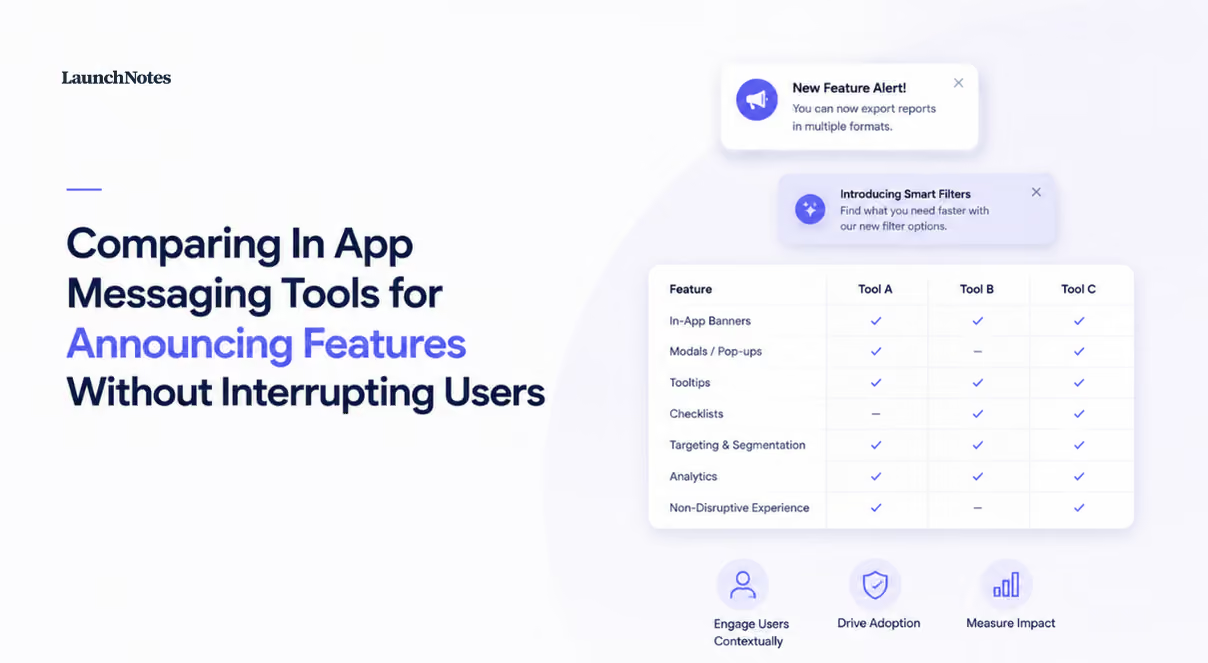
A practitioner primer on in-app messaging cites a study in which in-app messaging had a 75% open rate, roughly 45 times higher than email and three times higher than push notifications, and a separate vendor comparison of in-app messaging tools reaches the same conclusion from a different direction: in-app messaging outperforms both email and push when each channel is used on its own. Read that as good news about reach and you will buy the wrong tool. Read it as a warning about attention and you will ask better questions, because a channel almost everyone opens is a channel almost everyone has to close, and the person closing it is usually mid-task inside your product.
That reframes what actually differentiates in app messaging tools. Every platform in the category can render a modal, a banner, and a tooltip, and every platform has a template gallery. What varies, sometimes enormously, is the precision of the targeting, the granularity of the timing, the behavior of the dismiss control, the amount of engineering time the whole thing consumes, and what happens to the announcement once a user swipes it away and never comes back.
What Product Teams Actually Need from In App Messaging
Two fairly different product categories share the label. Digital adoption platforms were built for SaaS web applications, so they optimize for in-product guidance, feature discovery, onboarding checklists, and in-app surveys that, as the same vendor comparison notes, collect real-time feedback including NPS and custom responses without pushing the user out to a form. Mobile engagement platforms were built for lifecycle marketing and retention, so they optimize for orchestration across push, email, SMS, and in-app, with the in-app surface treated as one more delivery channel in a campaign. Both will happily sell you a feature announcement.
Choosing across categories rather than within one is where evaluations go wrong, because the category decides the pricing model and the integration path before anyone writes a single message. A mobile engagement suite prices against monthly active users and expects an event pipeline; an adoption platform prices against seats or accounts and expects a script tag. Neither is a mistake in itself, but if the product team owns announcements and wants to ship one this quarter, a digital adoption platform or a dedicated product communication platform will fit the working reality better than an omnichannel suite whose real value shows up only when marketing operations runs the whole lifecycle.
Targeting and Segmentation Across Tools
Segmentation depth and configuration overhead move in opposite directions, and that tradeoff is the most useful lens for comparing tools here. Adoption platforms let a product marketer build audiences in the browser from plan tier, role, account attributes, page URL, and simple usage signals, which means a beta announcement can be scoped to admins on a specific plan in an afternoon. Enterprise engagement platforms such as Braze and MoEngage segment against your event schema instead, which is far more expressive once the schema exists and close to useless before it does. If your team has no behavioral event pipeline, or has one that only your data engineers understand, expect those platforms to underperform for the first several months while instrumentation catches up to the ambitions in the campaign brief.
Firebase sits in its own scope: the segmentation is genuinely capable but effectively limited to teams already living inside Firebase Analytics, so it is a strong default for mobile teams on that stack and an odd choice for anyone else. Whichever direction you go, the failure mode at scale is the same and it is worth planning for. Once a dozen segments and flows run concurrently, no platform in this category gives you a single reliable view of everything an individual user is eligible to receive, and the vendor comparison cited above notes that some users report performance issues when running a large number of flows. Given open rates that beat email by an order of magnitude, the practical constraint is not whether people will see your announcement; it is whether the fourth one this month still lands as information rather than noise.
Timing Controls and Message Frequency
The cleanest distinction in timing is between event-triggered display and scheduled delivery. Event-triggered messages fire when a user reaches the part of the product the announcement is about, which is why adoption platforms tend to produce announcements that feel like help rather than advertising. Scheduled delivery sends on a calendar and leans on frequency caps to keep volume tolerable, which suits a coordinated launch across channels but almost guarantees that some portion of your audience meets the message in a context where the new feature means nothing to them.
Sequencing pays off when it is done deliberately. Airship research reports that apps running orchestrated onboarding campaigns see opt-in rates as much as 40% higher than their category average, and that Ulta Beauty achieved 2.8X higher purchase conversion among customers exposed to a personalized in-app Scene compared with those who were not. Both numbers come from a vendor describing its own platform, so treat them as directional rather than as a forecast for your product, and notice what they have in common: the win comes from orchestration and relevance, not from volume.
One gap runs through every tool in the comparison. When two or three flows qualify for the same user in the same session, you have to write the priority rules yourself, because no platform infers that your security notice should outrank your integrations announcement. OneSignal is worth a specific caveat here, since its architecture is push-first and its in-app timing controls are less granular than what adoption platforms offer; that is a reasonable trade if push is your primary channel and in-app is the supporting one, and a real constraint if you are trying to place a message next to a specific UI element at a specific moment.
Dismissal Behavior and User Control
Dismissal is the part of the evaluation teams skip and users remember. A modal takes over the screen and requires an explicit action to clear, which is why it converts and also why it is the format most likely to be resented when the announcement is not urgent. Banners and tooltips are passive by design: they sit alongside the interface, they do not block the task in progress, and they let a user who is busy simply ignore them. For most feature announcements, the passive formats are the better default, and the modal should be reserved for changes a user genuinely cannot proceed without knowing, such as a breaking change or a migration deadline.
Then check what a dismissal actually persists. In several tools, a message cleared in one session reappears after a session reset or on a new device, so a single announcement becomes a recurring interruption for the users who already declined it once, and your engagement report reads as reach while your support queue reads as irritation. Intercom deserves a note of its own, because its persistent chat surface is excellent for support conversations and heavier than it needs to be for a product update; a message that lives in an inbox invites a reply, and inviting replies to a routine release note creates work nobody scheduled.
Restraint can be engineered. A 2026 roundup of in-app messaging platforms for SaaS describes a Product Fruits setup in which a custom event survey fires only after ten interactions and posts results straight into a Slack channel, which is a small, sane pattern: earn the interruption with usage, and route the response where the team already works.
Implementation Lift and Who Actually Owns the Tool
Implementation lift separates the two categories more sharply than any feature table. Adoption platforms usually need one JavaScript snippet and some identity attributes, after which a product marketer can build and ship without a ticket. Enterprise engagement platforms need a native SDK per app plus deliberate event instrumentation, and that work has to happen before the first useful campaign, not alongside it. A customer quoted on OneSignal's site describes the appeal of the lighter end of the spectrum plainly, saying that with their previous solution they configured messages in HTML while with OneSignal you can create a quality in-app message without even having simple development skills.
No-code does not mean no maintenance, though, and this is the cost most evaluations miss. Flows that anchor to interface elements break when the interface changes, so every meaningful release ships with a quiet obligation to re-check the tooltips and walkthroughs that point at the parts you just moved, which means engineering review stays in the loop even when the builder does not require it. The same 2026 roundup describes Mystore onboarding more than 1,200 stores at scale on Product Fruits and reports that an AI copilot autonomously resolved close to 60% of support inquiries there within 90 days, which shows how far the self-serve end of this category can be pushed; vendor case studies like that one, and OneSignal's reported figures of more than 600% growth in paying monthly actives and more than 625% growth in monthly user spending for a single customer, describe what a committed team achieved rather than what a trial will produce for you.
So decide ownership before you decide vendor. If product, product marketing, or customer success will run announcements week to week without dedicated engineering support, the adoption platform category is the honest answer.
Where In App Messaging Ends and Product Communication Begins
Every tool discussed so far shares one boundary: it can only reach a user who is signed in and active. Dismiss the banner, close the tab, and the announcement is gone with no durable record behind it, which is a problem when the people who most need to know about a release are the ones least likely to be in the product that week, including admins, executive sponsors, evaluators mid-trial, partners, and your own support and sales teams.
That is the gap product communication is built to close, and it is why we think of in-app messaging as one surface rather than the whole channel. LaunchNotes centralizes release notes, roadmaps, and feature updates so a launch has a permanent home instead of a session-bound impression, and depending on plan it supports announcements, roadmaps, customer feedback, integrations, webhooks, GraphQL, RSS, and security features. No more scattered product updates, and no dependence on a single dismissible moment for the news to land. Regulated buyers have a further constraint worth naming: Rocket.Chat positions itself for on-premise and air-gapped deployment with full control over sensitive data, a reminder that where product communications are hosted can be a procurement question rather than a preference. Used together, an in-app tool handles the active session while a product communication platform handles everyone and everything outside it.
Verdicts by Team Situation
Match the tool to who is doing the work and where the audience actually is, and accept the concession that comes with each choice.
- Product or product marketing needs no-code, event-triggered announcements tied to specific parts of the app: Userpilot or Appcues, with the understanding that anchored flows need review after interface changes and that flow counts have practical limits, since some users report performance issues once a large number of flows are running.
- Marketing operations owns the event pipeline and the launch spans push, email, and in-app: Braze or MoEngage, accepting a longer setup, real instrumentation dependency, and per-user pricing that grows with the product.
- Mobile-first product where push carries most of the message and in-app supports it: OneSignal, accepting less granular in-app timing and shallower segmentation than an adoption platform provides.
- Self-serve product with heavy onboarding volume and in-product feedback needs: Product Fruits, where in-app surveys and event-triggered prompts routed to Slack cover both announcement and response.
- The people who need the update include customers outside the session, internal teams, and stakeholders who never log in: pair whichever in-app tool you choose with LaunchNotes so the release has a persistent record, a roadmap context, and a feedback path attached to it.
If your evaluation cannot answer which of those situations you are in, the tool is not the open question yet.
Pricing Models and Hidden Costs at Scale
Pricing in this category splits along the same line as everything else. Per-MAU models charge for reach, which feels fair at signup and becomes unpredictable exactly when the product succeeds, since a strong growth quarter raises the cost of telling people about the features that drove it. Per-seat and flat-fee models decouple spend from user volume, which makes budgeting straightforward, but they commonly cap the number of active flows, monthly sends, or environments, and the cap is where the real negotiation happens.
Headline pricing also omits the largest line item, which is your own engineering and maintenance time. SDK integration, event instrumentation, identity mapping, and the recurring work of keeping anchored flows pointed at the right elements do not appear on any pricing page, and neither does the operational drag of a flow library that has grown past the point where anyone can say what a given user will see. Since some users report performance degradation once many flows run at once, flow sprawl is a cost with a technical bill attached as well as a human one.
The practical recommendation: price the tool against your growth plan rather than your current user count, ask directly what happens at twice your volume and twice your flow count, and budget separately for the durable record that in-app messaging cannot provide. If that second half is the part you are missing, book a demo and we will walk through how release notes, roadmaps, and announcements hold together once the session ends.