Why Release Notes Design Impacts Adoption

Release notes design is not decoration. Layout, hierarchy, branding, and how the note appears in-surface decide whether someone finds a change in three seconds—or bounces.
Good release notes design comes down to a few decisions: a consistent entry layout (date, label, headline, summary, detail), visual weight that matches how big the change is, labels readers can scan without learning a taxonomy, and a page people can actually find, link to, and search. The sections below cover each, with real examples.
The cost of notes nobody can scan
When updates look like a plain dump, users keep using workarounds you already fixed. Support re-answers solved tickets. Sales cannot show what shipped. The gap is often design and presentation—not missing words.
Copy still matters; write it on how to write. Design decides whether that copy is findable.
Anatomy of a release note entry
Treat each entry as a component with the same slots every time. Readers learn where to look, and the entry can be reused across your page, in-app widget, and email.
- Date or version anchor. Readers use it to find where "new since last visit" starts. Customers usually understand dates better than version numbers; keep versions in the detail layer for technical readers.
- Category label: New, Improved, Fixed, or Deprecated. Five or six types at most.
- Outcome headline. One line on what the reader can now do.
- Summary. One or two sentences in customer language.
- Detail layer. Technical specifics, steps, or limits, for readers who want them. This is how you serve customers and developers in one entry without writing for neither.
- Optional media. Only when it explains something words can't (see below).
- Permalink. A stable URL for the entry so support, sales, and docs can link straight to it.
Visual hierarchy: match weight to severity
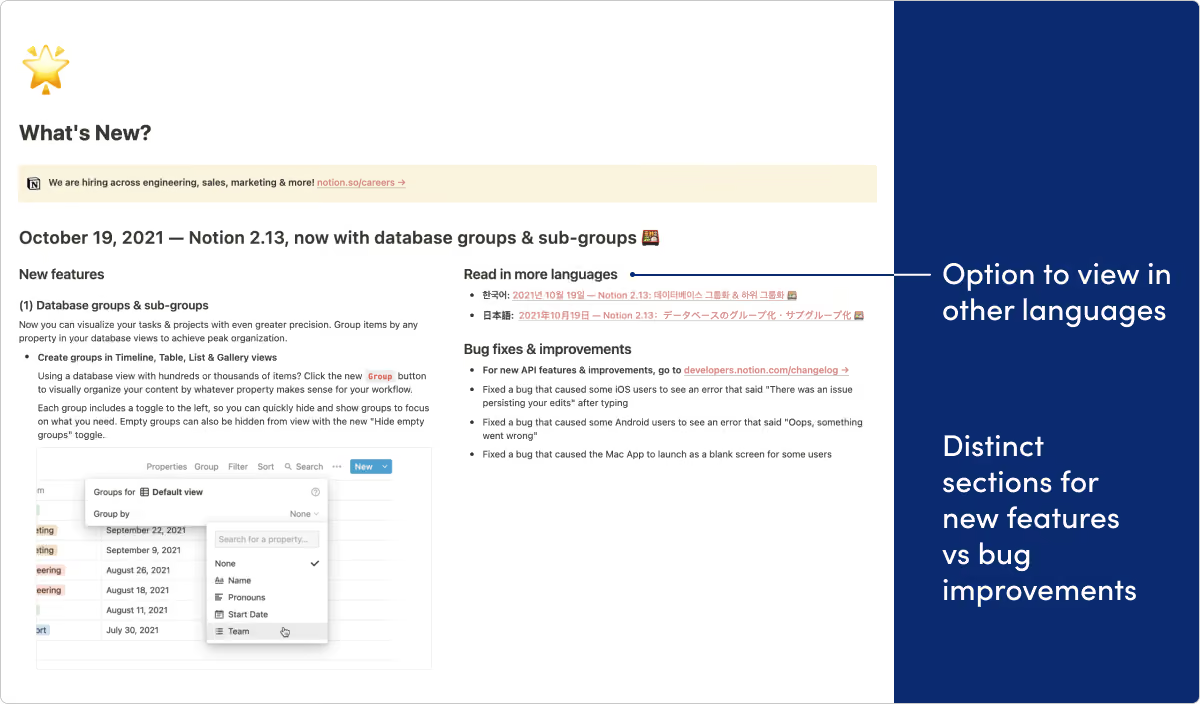
- Major launches — Hero or banner, clear title, short benefit line, optional media, one primary link into the product.
- Improvements — Grouped list with consistent labels (New / Improved / Fixed).
- Fixes — Compact lines; do not give every patch the same visual weight as a Tier-1 launch.
If everything is bold, nothing is. Readers learn that scanning your notes is not worth the time.
Design for returning readers and first-time scanners
Two readers land on the same page. A returning user wants to see what changed since their last visit, so they need clear date stamps and visible gaps between entries. A prospect or new customer is scanning to see whether the product is actively improving, so they need category labels and summary lines that show value before detail. Clear anchors plus a summary line per entry serve both.
Three layout patterns that work
1. Hero + supporting list
Use for: Tier-1 launches with one primary story.
- Top: image or short video, benefit headline, one CTA into the feature.
- Below: secondary improvements and fixes in a scannable list.
- Watch for: burying the only action below a wall of secondary items.
2. Categorized scan list
Use for: Digests and continuous delivery weeks.
- Consistent category labels and icons or color cues.
- One line of outcome language per item; link out for depth.
- Watch for: inventing new category names every week—train the eye.
3. Compact digest card
Use for: Email or in-app previews that must work on mobile.
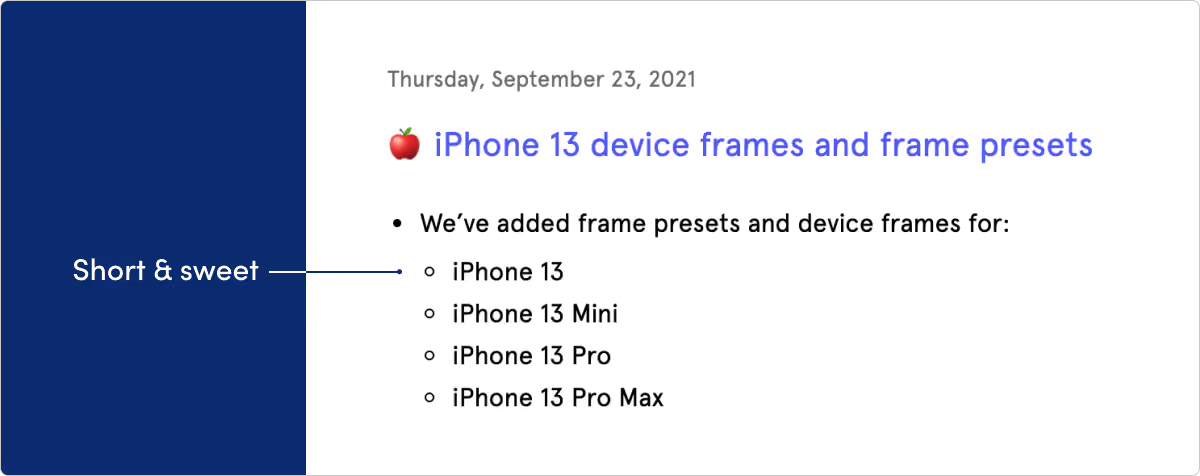
- 3–7 items max; each with a verb-led headline.
- “Read the full update” to the permanent page (the record).
- Watch for: pasting the entire page into email.
Keep labels meaningful
Labels only help if they're different enough to scan. If every entry carries the same green "Improvement" badge, the label is decoration. Use a small, fixed set, give each one its own treatment (icon or shape as well as color), and don't invent new categories week to week.
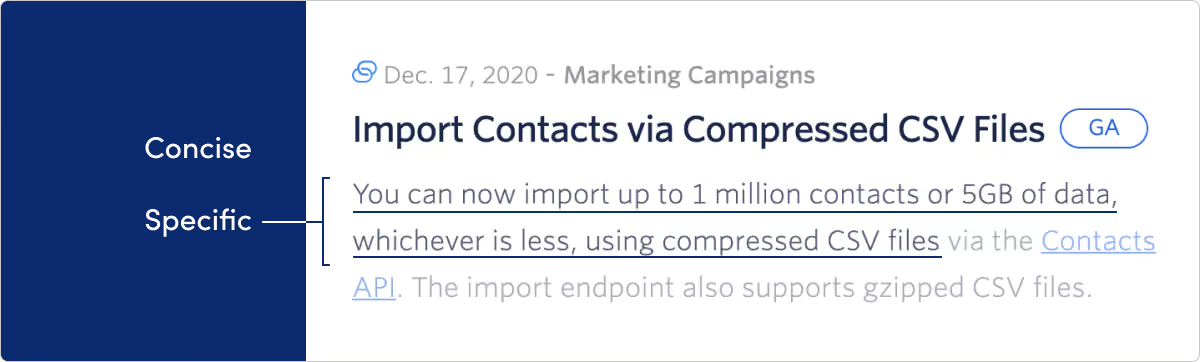
Real-world proof of these patterns → examples. Fill-in formats → templates.
Brand consistency builds trust
Release notes are a customer touchpoint. Unbranded plain text signals that communication is an afterthought. Apply brand colors, type, and voice so the updates page feels like the rest of the product. Tone should match your other customer communications—not swing from playful marketing to dry tickets mid-digest.
Make the page findable and linkable
The best-designed entry is useless if nobody reaches it.
- Link it from the product and the help center, not just the footer.
- Give every entry a permalink so support can answer "is this fixed?" with a link.
- Add filters or search once the page has more than a few months of entries: by category, product area, or platform.
- Keep an archive rather than deleting old entries. History is part of the evidence that the product is moving.
- Render entries as real HTML text, not only inside a script-loaded widget or images, so search engines and screen readers can read them.
- Offer a way to follow along, such as email subscription or RSS, for readers who won't come back on their own.
In-surface presentation (without picking the pattern here)
Where the note appears changes how heavy it should feel:
- Dedicated page — Full hierarchy and media are fine.
- In-app entry point — Lightweight preview; deep detail on click. Pattern choice, targeting, and fatigue → in-app.
- Email / Slack — Scannable summary only; link to the record.
Screenshot, GIF, or video?
| Use | When | Watch for |
|---|---|---|
| Static screenshot | Something moved, appeared, or was reorganized, and the UI is unlikely to change again soon | Screenshots go stale when the UI changes again |
| Short GIF | An interaction a still image can't show (drag and drop, a new gesture) | Looping animation pulls focus from every other entry on the page |
| Video | A major release complex enough to justify a walkthrough | Highest maintenance: any renamed button makes it wrong |
| None | Most fixes and small improvements | Don't add media just to fill space |
A deep link into the feature is often more useful than any of them: it shortens the path from reading to trying.
Accessibility and dark mode
- Keep a consistent heading order (for example, H2 for a release and H3 for each entry) so screen-reader users can move through the page.
- Don't rely on color alone for labels. Pair color with text or an icon; WCAG 1.4.1 Use of Color requires that color isn't the only way information is conveyed.
- Check label contrast in dark mode too. A badge that passes on white often fails on a dark background.
- Write alt text for screenshots that says what changed, not "screenshot."
- Caption videos and avoid autoplaying animation.
Related: why irrelevant updates get ignored (why customers ignore), which channels to use (channels), and in-product patterns (in-app). For more on where release notes design is heading, see Release notes design trends product teams are adopting in 2026.
FAQ
Is design more important than copy?
Neither wins alone. Hierarchy gets the right eyes on the right lines; craft makes those lines worth reading. Use this page and how to write together.
Should every update use video?
No. Reserve richer media for changes that are hard to understand in one sentence or that need a path into the UI.
Where do I decide badge vs modal vs hub?
On in-app what’s new—this page only covers visual weight and layout once a surface is chosen.
Make the important change obvious
Match visual weight to severity, keep brand consistent, and keep previews light. If layout is clear but readers still ignore you, diagnose on why customers ignore. LaunchNotes can host a branded updates page and in-surface entry points from one workflow. Worth a look if design intent exists on paper but publish still flattens every change into the same gray list.
Get started with LaunchNotes today

- Why Overhauling Internal Communications Could Be Your Greatest Revenue-Driver
- Why New Features Usually Flop
- Bad Customer Experiences Put Nearly $4 Trillion at Risk in Global Sales

